Step 1
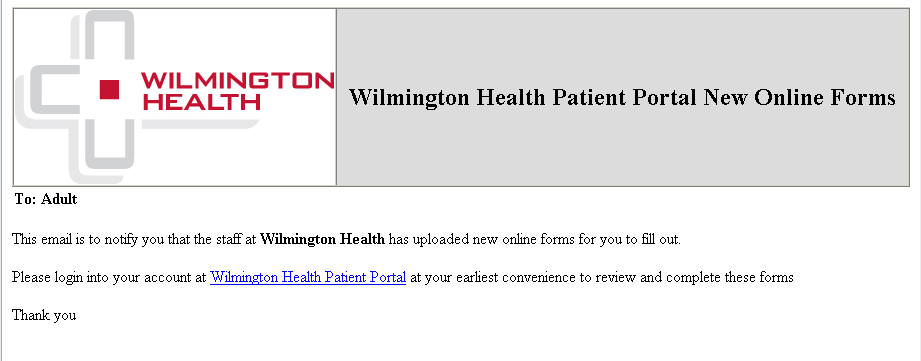
Patient will receive an automated email that an online form has been sent to their patient portal account.
Step 2
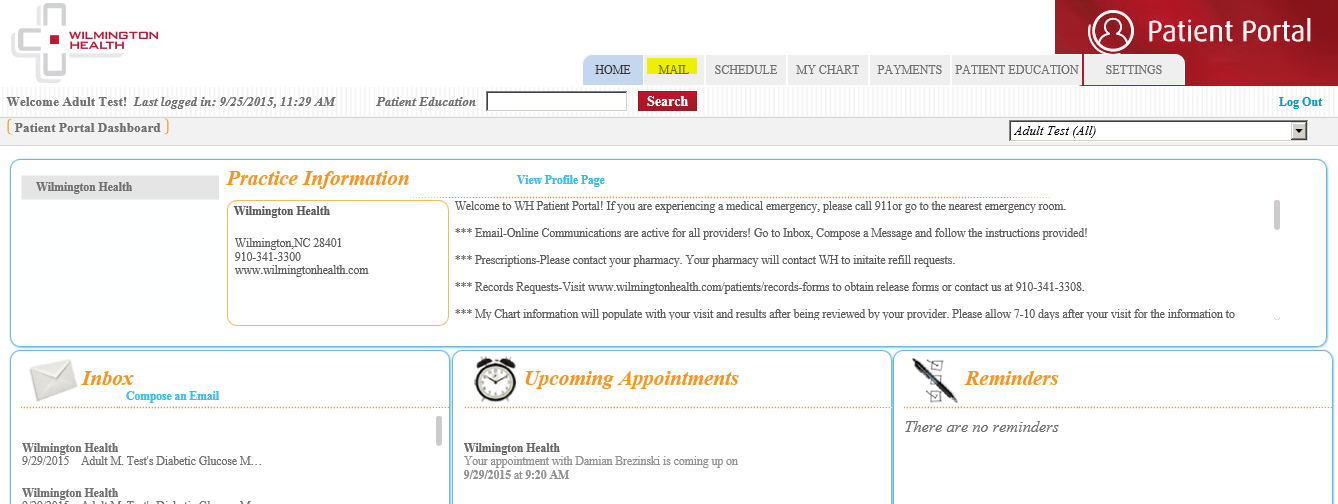
Patient can click link in email to log into portal. Once logged in, go to Mail to access online form from the Inbox.

Step 3
Patient will click the Next button in the message to begin to fill out the form.

Step 4
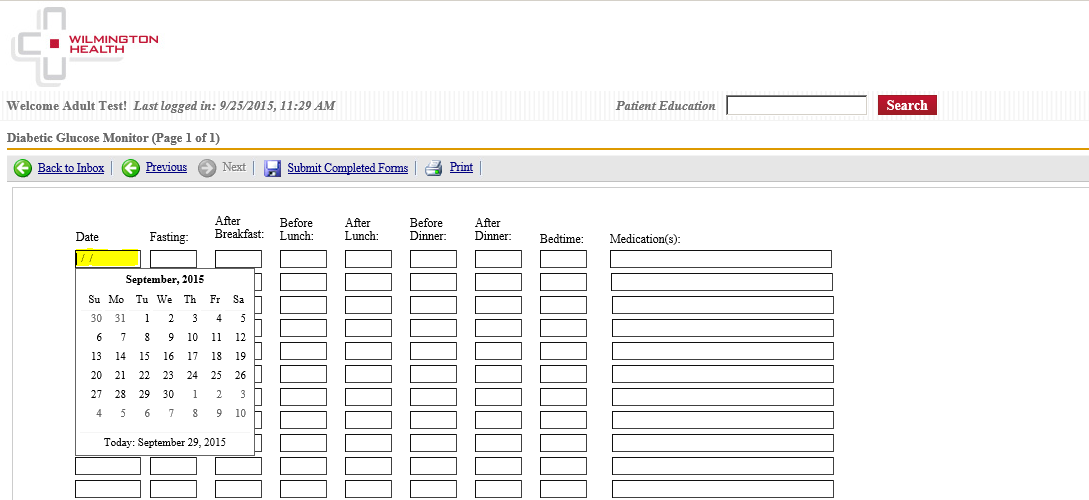
The patient will need to fill out the fields based on the instructions provided by the provider/staff on the information required.
- Date – Enter the date or click the field to open calendar to select the date.
- Fasting (After Breakfast, Before Lunch, After Lunch, Before Dinner, After Dinner, Bedtime) – Enter numbers in the field as requested by your provider.
- Medication(s) – Enter any adjustments made to medications based on the glucose readings.
Step 5
Once the form has been completed, select Submit Completed Forms.

Step 6
Patient will receive notice their form has been sent to the practice.
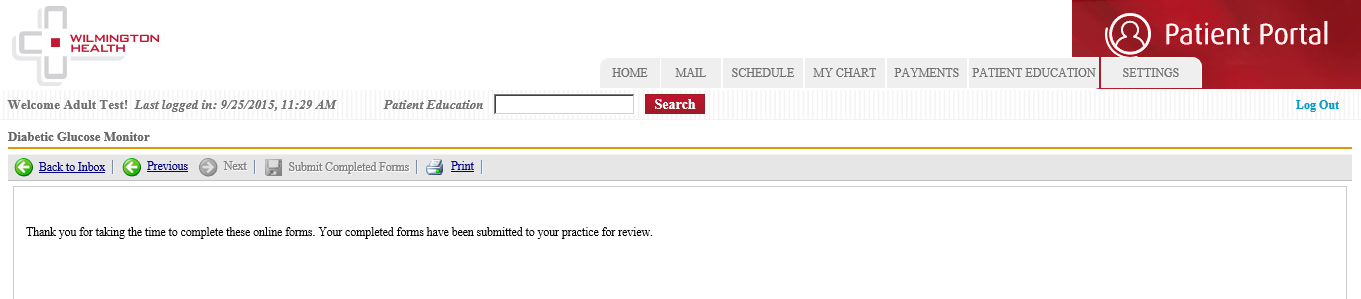
Once the form has been reveiwed by the provider, the patient will receive an email response back or a phone call from the provider's staff.